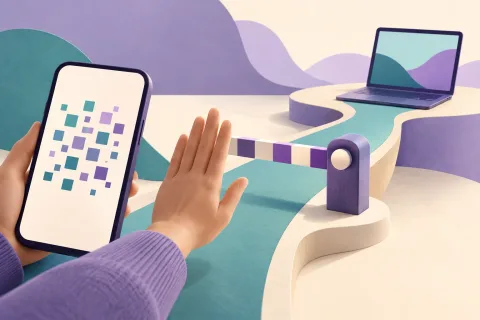
Accessibility is essential for users; the danger comes from granting access without a reason and from its abuse.
Malware does not always need to break message encryption. If it gains access to data the device processes for display or input, it may see content before encryption or after decryption. Accessibility abuse and overlay windows are two examples, but their mechanisms are not the same.
Nor is every app with Accessibility or a floating window malware. Screen readers and assistive tools are essential for many users. The goal is informed access decisions and less abuse, not the removal of accessibility.
Three threats we should not confuse
| Method | What does the attacker do? | What should not be assumed? |
|---|---|---|
| Fake window or form | Encourages the user to enter information into an interface resembling the original app | Not every overlay automatically reads text in the underlying window |
| Tapjacking | Tricks the user into touching a different control | A transparent layer does not mean that every keystroke is recorded |
| Accessibility service abuse | Uses the service’s permitted capabilities to observe information or perform actions | Access to all views is not identical across all versions |
The official tapjacking guide distinguishes fully obscuring an interface from partially obscuring it. Window type, Android version and app settings affect the outcome.
How can Accessibility reach sensitive data?
An accessibility service can receive interface information or perform actions for the user within its capabilities. A malicious service may abuse those same features. Enabling it for an app with no clear reason is therefore not a trivial decision.
However, the claim that “every service can read all text in every app” is too absolute. View structure, how data is exposed and operating-system restrictions matter. Android provides features such as accessibilityDataSensitive for sensitive views; their use and behavior must be tested on the target version. Google’s explanation of protecting data from malicious services.
What does FLAG_SECURE do, and what does it not do?
FLAG_SECURE is used to restrict screenshots and the display of content on non-secure outputs. This flag alone does not control the accessibility interface, fake forms or every method of extracting text. Photographing the screen with another device is a separate issue as well.
Android also provides apps with tools such as HIDE_OVERLAY_WINDOWS to reduce overlay windows. None should be presented as an “anti-spying button” without assessing compatibility, version limitations and the impact on users with accessibility needs. Guide to protecting sensitive activities.
A user checklist for reviewing access
- In device settings, separately review apps with Accessibility, Display over other apps and Notification access. Settings paths vary by manufacturer and version.
- For each one, ask which specific feature needs that access. A trusted screen reader’s access is not equivalent to that of an unknown flashlight app.
- Treat an urgent request to enable access after installing an unknown file as a reason for closer examination; requesting a permission alone does not prove an app is malware.
- If a login screen looks suspicious, do not enter sensitive information. Open the app through your usual route and check the address or installation source.
- After revoking unnecessary access, test the assistive tools you need. Security should not make the device unusable for its owner.
If you suspect that your password or session has already been exposed, revoking a permission alone is not enough. From a trusted device, review active sessions and account recovery methods, and change passwords that are at risk.
What should developers test?
Evaluate login screens, action-confirmation screens and sensitive-information screens separately. Test obscured touches and partial obscuration; a screenshot test alone is not enough. Then check the same flow with a real screen reader and assistive tool to ensure that the security defense does not break legitimate access.
In the test report, record the Android and app versions, service type, permissions and data that was actually visible. A limited test cannot establish conclusions about every device.
The boundary of messenger encryption
Livara’s threat model places compromised or unlocked devices outside its content-protection guarantee. An algorithm name or post-quantum key exchange is therefore not a defense against every abuse of the user interface. Treat protection of the message path, device integrity and permission control as three separate checks.