Choosing one photo and granting access to your photo library are different decisions.
You want to send a photo of a broken chair to a repair shop. Your library also contains family pictures, receipts and private screenshots. The shop needs one image; the app does not necessarily need permission to browse everything else.
Before choosing “Allow,” separate two decisions: which photos the app may access, and which image you actually send. Restricting library access reduces unnecessary exposure. It does not make an unsuitable photo safe to share or recall a copy already delivered. This is general operating-system guidance, not a claim about which photo interfaces Livara implements.

1. A photo picker is not the same as full-library permission
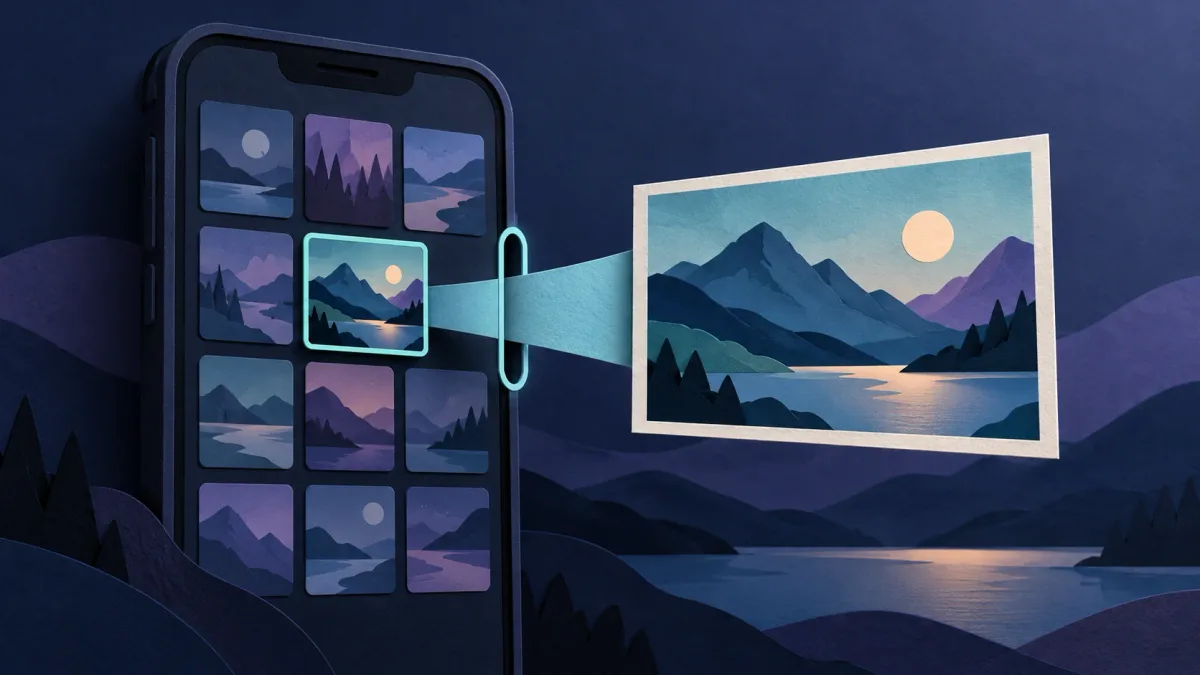
A system photo picker lets you choose media to hand to an app. Android’s official picker grants access to selected images and videos rather than the entire library. Apple’s system Photos picker likewise gives the app the chosen items without requiring broad photo-library authorization.
Seeing many thumbnails in a system picker therefore does not, by itself, mean the app can read all those pictures. The operating system can present the selection interface while limiting what the app receives.
However, using a picker does not cancel broader access you granted previously. Nor does every screen showing a grid of photos prove it is a system picker. An app can provide its own gallery interface. Read the permission request and inspect the app’s current permissions instead of judging by appearance alone.
2. On Android, distinguish selection from lasting access
When the system picker is available, select only the items needed for the task. Google also documents a separate Selected Photos Access permission flow introduced in Android 14. For supported app and system combinations, it lets you limit library access to chosen photos and videos instead of granting access to all media of the requested type.
The available choices depend on Android version and how the app is built. Do not expect identical buttons on every phone. If a needed picture is absent, look for a supported way to choose more photos before upgrading to full access.
Importantly, picker access is not necessarily “one use.” Android documents a default access lifetime and a mechanism that apps can use to persist permission to selected files, for example to finish a background upload. Closing the picker is not a reliable way to retract access to a selected image. This still does not turn a selected-file grant into permission for the entire library.
3. On iPhone, limited access and add-only mean different things
Apple’s limited Photos library, introduced in iOS 14, lets you authorize a subset of your library for an app using PhotoKit. That selection can be changed later. It is different from handing an item through the system picker, which can work without that library permission.
Limited access is not always just the last photo you tapped: earlier selected items may remain available. Apple also documents that photos an app creates through the relevant PhotoKit creation API are automatically included in its limited selection.
Add-only is another distinct access level. It allows an app to add items to the library; it is not permission to read the existing library. A request to save an image and a request to browse your photos serve different purposes.
Use the options your app and iOS version actually provide. Not every app presents all these modes or uses the same wording. Where limited access meets the need, full access is not the automatic next step.
4. Run a short before-send check
For the repair-shop example, a practical sequence is:
- Choose the minimum: select the chair photo, not a whole batch of nearby images.
- Inspect it at full size: check for faces, addresses, documents or reflections in the background.
- Check the permission scope: distinguish selected items from broad library access. Do not widen access merely to dismiss a prompt.
- Check the attachment: confirm the intended image, not a similar thumbnail, is attached.
- Check the destination: verify the recipient or group before sending.
If the interface behaves unexpectedly, cancel and try with an ordinary, nonsensitive test image. A harmless test can reveal where selection and sending happen without exposing a private document. It does not prove what an app retains internally.
Photo access and photo content are separate checks. Selecting one file is not a promise that location metadata is removed or that sensitive details inside the image disappear.
5. Review old permissions without assuming copies disappear
On Android, Google’s documented starting point is Settings, Apps, the chosen app, then Permissions; names and navigation may vary by device. Review the photo and video access actually listed. Apple likewise allows Photos authorization choices to be changed in Settings.
Reducing library permission limits access through that permission. It does not establish that every separate file grant has ended, or erase data the app already copied. An uploaded image, sent attachment or recipient’s saved copy is a separate object from the original library item.
If you shared the wrong photo, stop further sharing and use the app’s available removal controls. Contact the recipient where appropriate, but do not treat deletion or permission revocation as proof that all copies are gone. Our guide to chat photos saved in the gallery explains why saved copies need their own review.
6. Frequently asked questions
Does an encrypted chat need my whole photo library?
Encryption and photo access answer different questions. A particular attachment flow may support selecting individual items. Check the actual flow rather than assuming encryption requires, or prevents, broad access.
Why is a photo missing after I limited access?
It may not be in the app’s allowed selection. Use a supported selection-management option or system picker if available. Missing media alone is not a reason to grant everything.
Does removing photo permission unsend a picture?
No. Treat future library access and already-shared content separately. Review both, with no guarantee of erasing recipient copies.
Sources
Android Developers: Photo picker; Grant partial access to photos and videos. Android Help: Change app permissions on your Android phone. Apple Developer: Integrate privacy into your development process; Delivering an Enhanced Privacy Experience in Your Photos App; PhotoKit add-only access.